
Online Safety for Kids 8-10 Years: 5 Home Activities (No Screen Time Needed)
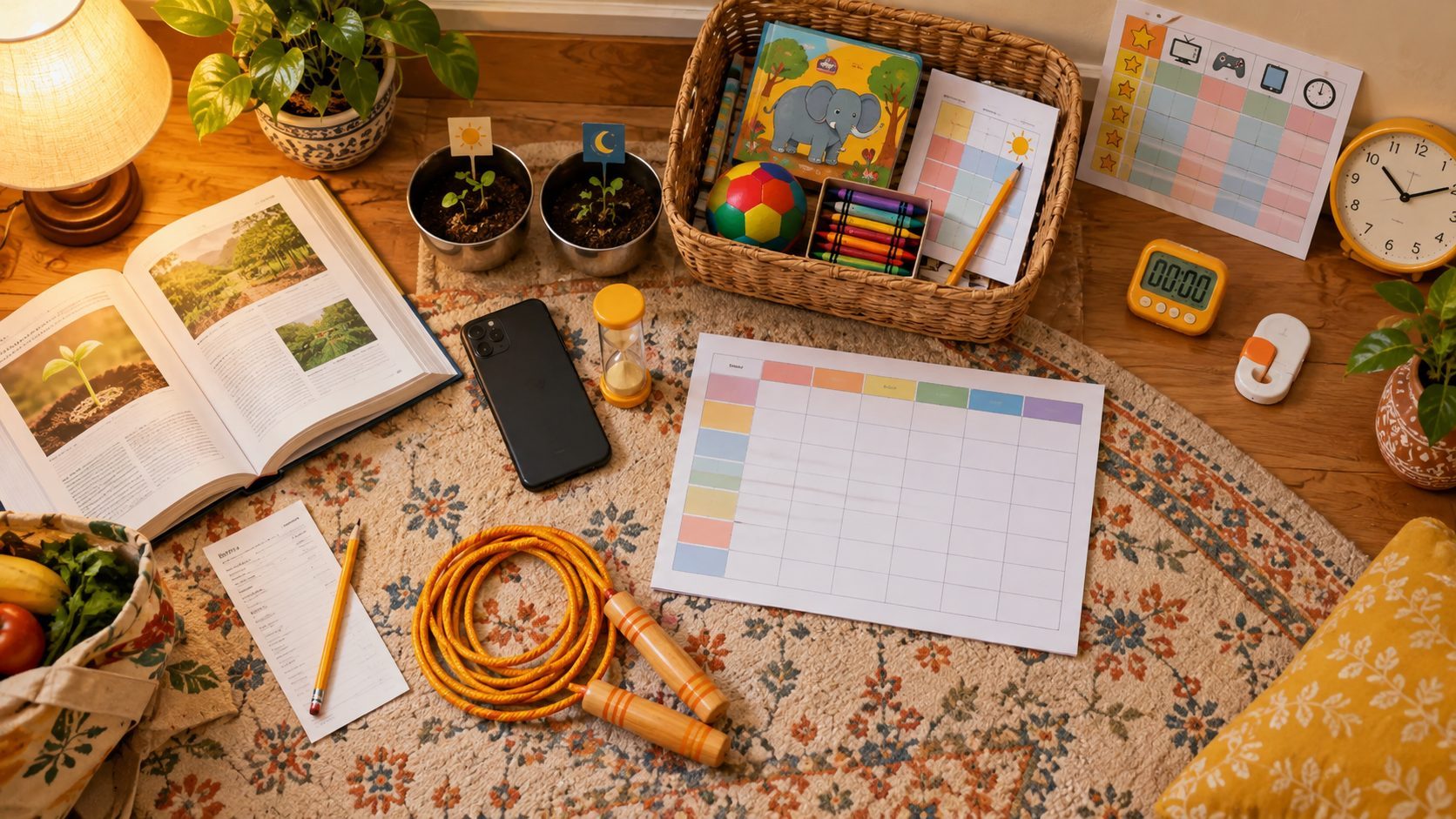
Teach online safety at home with five screen-free activities: a family password game, role-play stranger scenarios, screenshot-and-tell routines, shared device rules charts, and fake-ad spotting quizzes. All use household paper, pens and one device already at home. These build real judgment, not just rules.
⚡ In a hurry? Our quick picks

Children aged 8–10 are stepping online—gaming chat apps, YouTube browsing, messaging friends. This is the age when curiosity meets digital access, and habits formed now shape a lifetime of choices. The Indian Academy of Pediatrics (IAP) recognises that screen literacy is now as essential as print literacy, but guidance focuses on *how* children engage, not just *how much*. This guide offers five hands-on, household activities that teach real online safety judgment without banning screens or reading lectures. No products needed.
🏆 Quick comparison: our top picks
| Product | Award | Price | |
|---|---|---|---|
|
Creatto Activity Creative Card Sets - Create Your Own Stories (Multi-Color, Card-Based Learning, Ages 8+)
|
See on Amazon | Check price → | |
 Sudoku Kids Board Game - Logic Puzzle Set (Ages 8+, Multi-Level Difficulty) |
See on Amazon | Check price → | |
|
Sticker Activity Book - Digital Citizenship & Safety Scenes (Ages 7-10, Indian Edition)
|
See on Amazon | Check price → | |
 Card Games: 'Spot It' or Equivalent - Pattern & Observation Card Game (Ages 6+) |
₹469 | Check price → |
🛒 Our Top Picks
Creatto Activity Creative Card Sets - Create Your Own Stories (Multi-Color, Card-Based Learning, Ages 8+)
- ✓ Why it fits: Builds critical thinking and storytelling skills used in role-play and scenario discussions about online safety
- ✓ Card-based creative learning; no screen required
- ✓ Develops narrative and decision-making skills
* We earn a small commission — at no extra cost to you.

Sudoku Kids Board Game - Logic Puzzle Set (Ages 8+, Multi-Level Difficulty)
- ✓ Why it fits: Strengthens logical reasoning and pattern recognition habits that help children spot fake ads and analyse online content critically
- ✓ Board-based puzzle game; develops deductive thinking
- ✓ No batteries or screens; encourages focus and reasoning
* We earn a small commission — at no extra cost to you.
Sticker Activity Book - Digital Citizenship & Safety Scenes (Ages 7-10, Indian Edition)
- ✓ Why it fits: Reinforces password, stranger-awareness and online-safety concepts through visual learning and guided activities
- ✓ Sticker-based activity format; hands-on engagement
- ✓ Illustrations of realistic online scenarios for discussion
* We earn a small commission — at no extra cost to you.
Card Games: 'Spot It' or Equivalent - Pattern & Observation Card Game (Ages 6+)
- ✓ Why it fits: Trains rapid visual recognition and pattern-spotting skills that strengthen ability to identify fake ads, sponsored content and manipulation online
- ✓ Fast-paced card game; playable by 2–8 players
- ✓ No screens; builds observation and quick thinking
* We earn a small commission — at no extra cost to you.
Daily baby tips, exclusive Amazon deals & real parent advice — free forever.
What's happening at this age
At 8–10 years, children are developing digital literacy: the ability to understand what's real, safe and appropriate online. They begin to understand consequences, recognise their own feelings when stressed, and start asking "why" questions about rules. This is when dopamine-driven apps (gaming, chat notifications, video loops) become appealing—and when their impulse control is still building. According to the National Curriculum Framework for Foundational Literacy and Numeracy (NCF-FS 2022), digital citizenship skills—including online safety—must be woven into everyday learning, not taught as a separate "stranger danger" lecture. At this age, children learn best through role-play, discussion and collaborative problem-solving, not memorisation.
Try this at home
Activity 1: Password Family Game
You need: Paper, pens, 10–15 minutes, all family members.
How: Sit together. Ask each child: "If you had to make a password for your YouTube account, what would it be?" Write down their ideas. Then ask: "Could I guess it? Could someone who knows your birthday or pet's name guess it?" Together, build a "strong password" checklist on paper: mix of letters, numbers, symbols; not a word from a dictionary; not your name, age or pet's name; at least 8 characters. Create one password together (not a real one to use—a practice one). The game: someone reads aloud a password and the family votes "strong" or "weak" and why. Play three rounds.
What it builds: Critical thinking about password safety. Children learn that random, mixed passwords are harder to crack—a logical idea they can test themselves, not a rule they're told to follow.
Easier: Start with just letters and numbers, skip symbols. Harder: Ask them to explain why each password on a "weak" list fails (looks up their logic), then design a password that beats each rule.
Activity 2: Stranger Messaging Role-Play
You need: Paper, pens, 15–20 minutes, two adults or an adult and older sibling.
How: Write down 4–5 realistic online scenarios on separate cards: "A player in a game you like asks for your real name and what school you go to." "Someone messaging you says they are 10 like you but want to meet at the mall." "A person online says they will give you free gems if you click their link." "A friend's older sibling asks to add you on a chat app and says not to tell anyone." Take turns: one person reads a scenario aloud as if they *are* the stranger/player. The child responds as they would. Then pause. Ask: "What felt strange? What did you do right? What could you do instead?" No judgment—the point is to hear their thinking and gently offer a next step ("You said no, which was right. Next time, you could also tell a grown-up right away.").
What it builds: Real-time judgment in a safe space. Children practise saying no and naming uncomfortable feelings—skills that matter more than memorising stranger-danger rules.
Easier: Use only 2 scenarios. Focus on one response: "Say no and tell me." Harder: Ask them to write their own scenario card for you to role-play.
Activity 3: Screenshot-and-Tell Routine
You need: One shared device, paper, pens, 10 minutes, twice a week.
How: Build a low-pressure habit: once or twice a week (Saturday breakfast, Wednesday evening), your child takes a screenshot of something they saw online they want to show you—a funny meme, a game they played, a video recommendation. No judgment rule: they can show you *anything*. You look together and ask: "What do you like about this? Did anything feel odd? Do you know who made it?" The goal is *conversation*, not policing. Over time, they'll develop the habit of asking themselves these questions and wanting to check in with you. This turns you into a trusted guide, not a rule-maker.
What it builds: Openness and critical viewing habits. Children learn you're someone safe to bring questions to, and they practise narrating what they see (a foundation for spotting tricks and ads).
Easier: Start with just memes or videos—no game screenshots yet. Harder: Ask them to explain *why* they think something is fake, real, funny or strange before you offer ideas.
Activity 4: Shared Device Rules Chart
You need: Large paper or cardboard, markers, 20 minutes, the whole family.
How: Instead of a parent-written list of "don'ts", make the chart *with* your child. Ask: "What apps do you want to use? When do you want to use them? What time should we stop? What should happen if you're upset or someone messages something mean?" Write their ideas down—literally, their words. Then together, write 5–7 rules you both agree on. Keep it short and positive: not "Don't chat with strangers," but "Chat only with people you know in real life, and ask me first." Laminate it, hang it by the device, and revisit it monthly. If your child breaks a rule, ask: "Which rule didn't we follow? Why? How do we fix it?" instead of punishing.
What it builds: Ownership and reasoning. When children help set rules, they're more likely to follow them—and to understand *why* they exist, not just obey.
Easier: Start with just 3 rules. Focus on times and app names. Harder: Ask them to propose what should happen if a rule is broken before you suggest consequences.
Activity 5: Spot-the-Fake-Ad Quiz
You need: Paper, pens, screenshots from YouTube or gaming apps (search "fake ads kids online" for inspiration), 15 minutes.
How: Show or describe 3–4 ads you've screenshotted or found online: "Free diamonds for clicking here!" "This celebrity uses this cream—buy now." "You won a prize! Claim it." "Try this game, it's so cool!" (this last one is a sponsored post, not an ad). Ask your child: "Which ones are ads? How do you know? What do they want you to do? Is it true?" Some clues to teach: tiny "Sponsored" labels, too-good-to-be-true offers, famous people promoting things, links that don't match the app. Play a few rounds. Then, next time they're on YouTube or a game, pause when an ad appears and ask: "Is this an ad? What's it trying to sell? Do you believe it?" This becomes part of viewing, not a separate lesson.
What it builds: Ad literacy and scepticism. Children learn that not everything online is true or made for them—a habit of questioning that protects them far more than a list of rules.
What "getting it" looks like
You'll notice your child starting to pause and ask questions: "Is this person real?" "Why are they asking for my name?" "Is this an ad?" They may come to you unprompted with screenshots or concerns. They understand that passwords need to be secret and strong. They follow the shared device rules without constant reminding—not because they fear punishment, but because they helped set them. They recognise uncomfortable feelings (someone asking strange questions, a link that feels off) and name them to you. These behaviours show real judgment forming, not just rule-following.
When to move on, and when to ask
By 10–11 years, children are ready for deeper conversations: data privacy, how apps track you, why companies want your information. They can handle the idea that mistakes happen online and are fixable. If your child shows ongoing anxiety about online safety, avoids devices entirely, or seems withdrawn after using them, talk to your paediatrician. This is general information, not medical advice.
If you're homeschooling
Weave one activity into your weekly rhythm: Password Game on Monday, Role-Play on Wednesday, Screenshot chat on Friday. This spreads learning naturally and keeps it conversational. Pair it with reading time—books about digital citizenship (like age-appropriate stories about online friendship or problem-solving) expand the same thinking skills.
What helps at home (optional)
All five activities above work entirely with household paper and pens. If you want to deepen the practice, a few optional additions may help: a set of activity books focused on digital citizenship (with puzzles and scenarios), a simple magnifying glass for inspecting tiny "Sponsored" labels on ads, or a parental-control-friendly tablet (if your family uses one) that lets you review activity together without surveillance feeling punitive.
What IAP and WHO Guidance Says
• IAP (Indian Academy of Pediatrics) recognises digital literacy as a core life skill at this age: children should learn to identify reliable sources, understand privacy, and recognise manipulation online—not through rules alone, but through guided exploration and conversation.
• WHO emphasises that screen time quality matters as much as quantity: children who co-view or co-use devices with trusted adults, and who can discuss what they see, build stronger critical thinking than those who use screens alone.
📚 Reviewed against
This guide was checked against the sources below. It is general parenting guidance, not medical advice — for any concern about your child's development, talk to your paediatrician.
- National Curriculum Framework for Foundational Literacy and Numeracy (NCF-FS) 2022, Government of India — Guides on integrating digital citizenship and critical thinking into primary education; supports age-appropriate digital literacy at 8–10 years.
- Indian Academy of Pediatrics (IAP) Guidelines on Digital Health and Child Wellbeing — Endorses digital literacy (not just screen limits) as essential for children's safety and development; supports conversation-based learning over rule-based approaches.
- WHO Guidelines on Physical Activity, Sedentary Behaviour and Sleep for Children under 5 Years and for Children and Adolescents aged 5–17 Years (2019) — Emphasises the importance of co-viewing and parental engagement during screen time; supports quality over quantity and guided digital literacy.
- NCERT Textbooks, Digital Literacy Modules for Classes 3–5 (2022 onwards) — Integrates online safety and digital citizenship into mainstream curriculum; aligns with home-based activities and age-appropriate scenarios.
Last reviewed 25 Nov 2026
Frequently Asked Questions
How to protect your children online at home?
What is the 3-6-9-12 rule for kids and screens?
What are 5 ways to stay safe online?
What are 5 facts about online safety for children?
When should I talk to my child about online safety?
What should I do if my child gets a message from a stranger online?
Daily baby tips, exclusive Amazon deals & real parent advice — free forever.